
Introduction
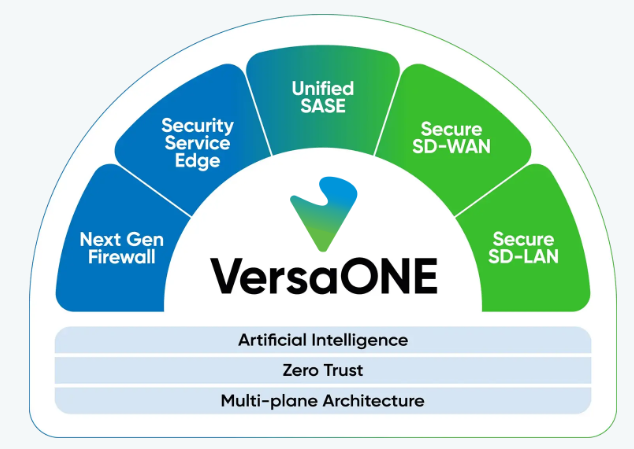
Welcome to the Versa Networks Documentation Portal. This platform is designed to provide a comprehensive, unified resource for understanding, deploying, and managing our Secure Access Service Edge (SASE) and Secure Networking solutions.
Whether you are here to explore the architectural foundations of the VersaONE Platform or looking for specific configuration steps for the Versa Operating System (VOS), this guide will help you find the information you need efficiently.
How to Navigate This Documentation
The Versa Networks documentation is structured to help you move from high-level architectural understanding to specific technical implementations. The interface is divided into functional areas that mirror the SASE and networking lifecycle.
The Navigation Sidebar
The left sidebar is organized hierarchically to simplify content discovery. It is structured by Category, then Product, and finally by Content Type.
* Categories: These are top-level groupings, such as Platform Fundamentals or Core Platforms & Management, which define the broad domain of the technology.
* Products: Under each category, you will find specific products (e.g., Versa Director, Versa Analytics).
* Content Types: Within each product, the documentation is further divided into specific formats:
* Concepts: Foundational information and architectural overviews. Start here to understand the "why" and "how" of a feature.
* Tutorials: Guided, end-to-end learning paths designed to help you achieve a specific outcome for the first time.
* How-To Guides: Practical, step-by-step instructions for specific tasks and configurations.
* Reference: Technical deep dives including API specifications, CLI commands, and hardware data sheets.
Global Search
You can use the search bar at the top of the page or the keyboard shortcut Cmd + K or Ctrl + K to find specific terms, error codes, or configuration commands across all categories simultaneously.
Sequential Navigation
Each page includes navigation links at the bottom. The Next button follows a curated path that introduces information in a logical order, while Previous allows you to revisit foundational topics.